

Troubleshooting a gate opener that won't close can be a frustrating experience, but as a gate opener supplier, I'm here to guide you through the process. In this blog post, I'll share some common causes and solutions to help you get your gate opener working properly again.
1. Check the Power Supply
The first thing you should do when your gate opener won't close is to check the power supply. A lack of power can prevent the gate opener from functioning correctly.
- Verify the Electrical Connection: Ensure that the gate opener is properly plugged into a working electrical outlet. If it's a hard - wired system, check the circuit breaker or fuse box to see if a breaker has tripped or a fuse has blown. If so, reset the breaker or replace the fuse.
- Battery - Powered Systems: For battery - powered gate openers, check the battery level. A low - battery condition can cause the opener to malfunction. Replace the batteries if they are old or depleted. Some gate openers have a battery indicator light that can help you determine the battery status.
2. Examine the Safety Sensors
Most modern gate openers are equipped with safety sensors to prevent the gate from closing on objects or people. If these sensors are misaligned or dirty, the gate may not close.
- Sensor Alignment: The safety sensors usually come in pairs, one on each side of the gate. They should be directly aligned with each other. Check to see if the sensors are straight and facing each other. You can usually adjust the sensors by loosening the mounting screws and re - positioning them.
- Clean the Sensors: Dirt, dust, or debris on the sensors can interfere with their operation. Use a clean, dry cloth to gently wipe the lenses of the sensors. Make sure there are no cobwebs or other obstructions blocking the sensors' line of sight.
3. Inspect the Limit Switches
Limit switches are used to control the opening and closing positions of the gate. If these switches are not set correctly, the gate may not close properly.
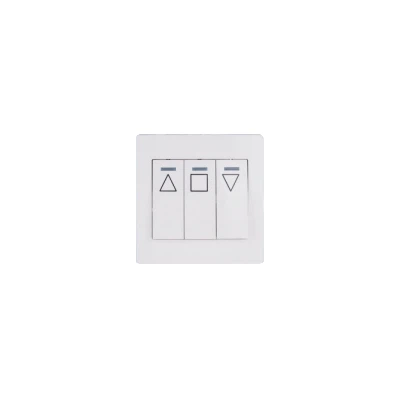
- Adjust the Closing Limit Switch: The closing limit switch determines how far the gate should close. Locate the closing limit switch on the gate opener mechanism. You may need to refer to the user manual for your specific model to find the switch. Use a small screwdriver to adjust the switch. Turn the adjustment screw clockwise to make the gate close further and counter - clockwise to make it stop earlier.
- Check for Switch Damage: Inspect the limit switches for any signs of damage, such as broken wires or loose connections. If a switch is damaged, it may need to be replaced. You can order a replacement switch from your gate opener supplier or a local hardware store.
4. Look for Obstructions
Physical obstructions in the path of the gate can prevent it from closing.
- Clear the Gate Path: Walk along the path of the gate and look for any objects that may be blocking it. This could include branches, rocks, or other debris. Remove any obstructions and make sure the gate has a clear path to close.
- Check the Gate Tracks: For sliding gates, the tracks can become clogged with dirt, gravel, or other debris. Use a broom or a small brush to clean the tracks. Make sure the gate wheels are able to move freely along the tracks.
5. Test the Remote Control and Keypad
If you use a remote control or keypad to operate the gate opener, they could be the source of the problem.
- Replace the Remote Control Batteries: Low - battery remote controls can send weak signals to the gate opener, causing it to malfunction. Replace the batteries in the remote control and try operating the gate again.
- Reprogram the Remote Control and Keypad: Sometimes, the remote control and keypad may need to be reprogrammed to work with the gate opener. Refer to the user manual for instructions on how to reprogram your specific model.
6. Check the Motor and Drive System
The motor and drive system are the heart of the gate opener. If there are issues with these components, the gate may not close.
- Listen for Unusual Noises: When you try to close the gate, listen for any strange noises coming from the motor or drive system. Grinding, squealing, or clicking sounds could indicate a problem with the motor or gears. If you hear unusual noises, it's best to contact a professional technician for further diagnosis.
- Inspect the Drive Chain or Belt: For chain - driven or belt - driven gate openers, check the drive chain or belt for signs of wear or damage. If the chain is loose or the belt is frayed, it may need to be adjusted or replaced.
7. Software and Firmware Issues
Some advanced gate openers have software or firmware that can cause problems if they are outdated or corrupted.
- Update the Software or Firmware: Check the manufacturer's website for any available software or firmware updates for your gate opener model. Follow the instructions provided to download and install the updates.
- Reset the System: In some cases, resetting the gate opener system can resolve software - related issues. Refer to the user manual for instructions on how to perform a system reset.
Conclusion
By following these troubleshooting steps, you should be able to identify and resolve most issues with a gate opener that won't close. However, if you're still having problems after trying these steps, it's recommended that you contact a professional gate opener technician or your gate opener supplier for further assistance.
As a gate opener supplier, we offer a wide range of high - quality gate openers, including the Automatic Sliding Gate Opener. Our products are designed to be reliable and easy to use. If you're in the market for a new gate opener or need replacement parts for your existing one, we'd love to hear from you. Contact us to start a procurement discussion and find the best solution for your needs.
References
- Gate Opener User Manuals
- Industry - standard Gate Opener Maintenance Guides


