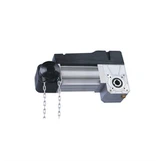
As a supplier of sectional door motors, I often get asked about the apps available for controlling these motors. In today's digital age, having the ability to control your sectional door motor through an app offers convenience, security, and enhanced functionality. In this blog post, I'll explore some of the popular apps that are compatible with sectional door motors and how they can benefit you.
Benefits of Using an App to Control a Sectional Door Motor
Before diving into specific apps, let's first understand why using an app to control your sectional door motor is a great idea.
Convenience
One of the primary advantages of using an app is the convenience it provides. You can open or close your sectional door from anywhere, as long as you have an internet connection. This is particularly useful when you're on your way home and want to have the door open before you arrive, or if you need to let someone in while you're away.
Security
Many apps offer advanced security features such as real - time notifications. You'll be alerted whenever the door is opened or closed, which can help you keep track of who is using the door and when. Some apps also allow you to set up access codes for different users, adding an extra layer of security.
Remote Monitoring
With an app, you can monitor the status of your sectional door motor at any time. You can see if the door is open or closed, and some apps even provide diagnostic information about the motor's performance. This can help you detect and address any potential issues before they become major problems.
Popular Apps for Controlling Sectional Door Motors
MyQ by Chamberlain
MyQ is a well - known app that is compatible with many sectional door motors. It allows you to control your door from your smartphone, tablet, or smartwatch. The app offers real - time notifications, so you'll know exactly when your door is opened or closed. You can also set up schedules for your door to open and close at specific times, which is great for automating your daily routine.
MyQ also integrates with other smart home devices such as Amazon Alexa and Google Assistant. This means you can use voice commands to control your sectional door, making it even more convenient. For example, you can say "Alexa, open the garage door" and the door will open automatically.
Genie Aladdin Connect
Genie Aladdin Connect is another popular app for controlling sectional door motors. It provides a simple and intuitive interface that allows you to open, close, and monitor your door with just a few taps on your phone. The app also offers remote access, so you can control your door from anywhere in the world.
One of the unique features of Genie Aladdin Connect is its ability to provide detailed usage reports. You can see how often your door is opened and closed, which can be useful for tracking energy consumption and security. Additionally, the app offers a vacation mode, which can help prevent unauthorized access to your door while you're away.
LiftMaster Connect
LiftMaster Connect is an app designed specifically for LiftMaster sectional door motors. It offers a range of features including remote control, real - time notifications, and integration with smart home platforms. The app allows you to create custom access codes for different users, which is ideal for families, tenants, or service providers.
LiftMaster Connect also provides diagnostic information about your door motor. If there are any issues with the motor, the app will alert you and provide troubleshooting steps. This can save you time and money by helping you resolve problems quickly.
Compatibility with Different Types of Sectional Door Motors
When choosing an app for your sectional door motor, it's important to ensure that it is compatible with your specific motor model. Most modern sectional door motors are designed to be compatible with popular apps, but it's still a good idea to check the manufacturer's website or product documentation.
As a supplier, we offer a range of sectional door motors, including the 380V Industrial Door Motor 380V and the 220V Industrial Sectional Door Motor. These motors are designed to be compatible with many of the apps mentioned above, providing you with the flexibility to choose the app that best suits your needs.
How to Set Up an App for Your Sectional Door Motor
Setting up an app for your sectional door motor is usually a straightforward process. Here are the general steps:
- Check Compatibility: Make sure your sectional door motor is compatible with the app you want to use.
- Download the App: Go to the app store on your smartphone or tablet and download the app.
- Create an Account: Sign up for an account within the app. You may need to provide some basic information such as your email address and a password.
- Connect the Motor: Follow the instructions in the app to connect your sectional door motor to the app. This may involve scanning a QR code on the motor or entering a serial number.
- Configure Settings: Once the motor is connected, you can configure the app settings according to your preferences. This may include setting up notifications, creating access codes, and scheduling door operations.
Conclusion
Using an app to control your sectional door motor offers numerous benefits, including convenience, security, and remote monitoring. There are several popular apps available in the market, each with its own unique features and capabilities. As a supplier of sectional door motors, we offer high - quality motors that are compatible with many of these apps, ensuring that you can enjoy the latest technology and functionality.
If you're interested in purchasing a sectional door motor or have any questions about app compatibility, please don't hesitate to contact us. We're here to help you find the right solution for your needs and provide you with the best possible service. Whether you're a homeowner, a business owner, or a contractor, we have the expertise and products to meet your requirements. Let's work together to make your sectional door system more efficient, secure, and convenient.


References
- Chamberlain Group. (n.d.). MyQ App. Retrieved from the official Chamberlain website.
- Genie Company. (n.d.). Genie Aladdin Connect. Retrieved from the official Genie website.
- LiftMaster. (n.d.). LiftMaster Connect. Retrieved from the official LiftMaster website.